
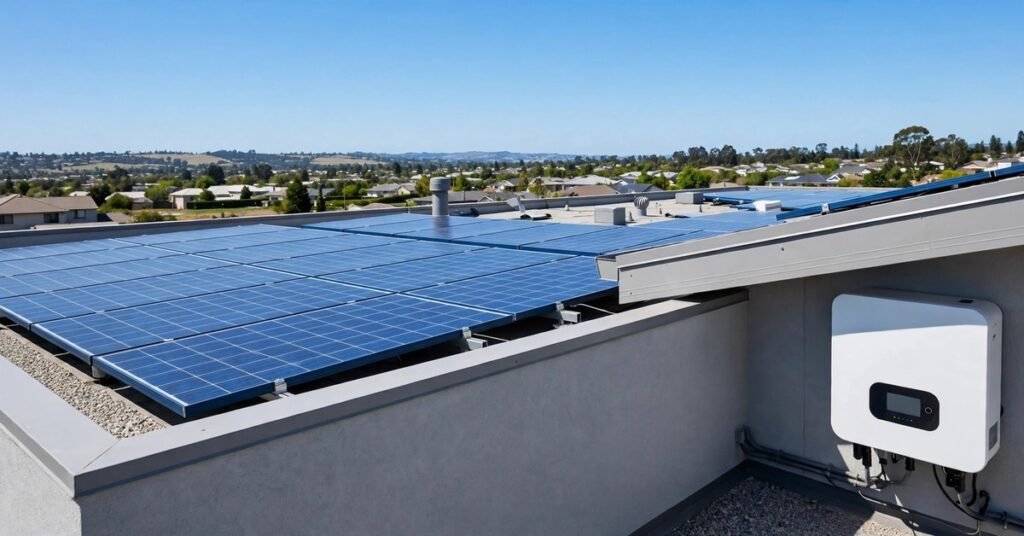
Why Your Inverter Shows Error Codes at All
Your solar inverter is the hardest-working part of your system. Panels just sit in the sun, but the inverter converts every watt of DC into usable AC, manages battery charging, and watches the grid — all at once. When something drifts outside safe limits, it protects itself (and your home) by shutting down and showing a code on its display.
Think of an error code as a first diagnosis, not a death sentence. Most of the faults Pakistani solar owners see are simple: a loose battery terminal, an overloaded circuit, or a fan choked with dust. This guide explains the common codes on the hybrid inverters most widely sold here, what you can safely check yourself, and when to stop and call your installer.
First, Know That Codes Differ Between Brands
There is no universal list. The popular Voltronic-family hybrids sold in Pakistan (Inverex and its many rebrands) typically show codes like 01, 02, 04, 07 and 59. On-grid brands such as Fronius, Solis and Growatt use completely different maps — on a Fronius, for example, F01 means a grid voltage fault, which is unrelated to what F01 means elsewhere.
The table below follows the Voltronic-style numbering because that family dominates Pakistani rooftops, but always confirm a code against your own unit’s manual before acting. If your manual disagrees with this guide, the manual wins.
Common Battery-Related Faults (Codes 03, 04, F56)
Battery faults are the single most common category on hybrid systems, and most have innocent causes:
- Code 04 / F56 — battery voltage too low. The battery is over-discharged or the inverter cannot “see” it. The hidden cause installers find most often is a loose battery terminal: under heavy load, even a slightly loose connection creates enough voltage drop to trip the fault. Switch the system off, then check that every terminal is clean and tight.
- Code 03 — battery voltage too high. The charging voltage exceeds the safe limit for your battery bank. This usually means the inverter’s battery-type or voltage settings do not match the batteries actually installed — common after a battery swap from tubular to lithium.
- Battery not detected at all. On lithium batteries, the battery’s own BMS may have gone into protection shutdown after a deep discharge. The inverter is fine; the battery simply needs to be woken up and recharged. Check our battery backup time guide so you size your usage within what the bank can actually deliver.
If you run tubular batteries, proper water and terminal maintenance prevents a large share of these faults — weak, sulphated batteries sag under load and throw low-voltage codes constantly.
Not sure your batteries are healthy?
Weak batteries are behind most nuisance inverter faults. See how to test water levels, terminals and backup time.
Overload and Output Faults (Codes 05, 07, 51, 58)
These appear when the inverter is asked to deliver more than it can handle:
- Code 07 — overload. You are running more load than the inverter’s rating. The classic trigger in Pakistani homes is a motor starting up — a water pump or an AC compressor can draw several times its running current for a few seconds. Switch heavy appliances off one by one until the fault clears, then check whether your AC load plan fits your inverter.
- Code 05 — output short circuit. Disconnect all loads and restart. If the code returns with no load connected, the fault is inside the inverter or its output wiring — call your installer.
- Codes 51 / 58 — overcurrent / output voltage too low. A surge from a faulty appliance or damaged wiring. Unplug the last appliance you added and test again.
Repeated overload trips are a sizing problem, not bad luck. If they keep happening, your inverter is undersized for the home — compare options in our hybrid inverter guide.
Over-Temperature Faults (Codes 01, 02)
Pakistan’s summers are brutal on inverters, and dust makes it worse:
- Code 01 — fan locked. The cooling fan cannot spin, usually because of dust buildup or an obstruction. With the unit switched off, check the fan grille and clear it.
- Code 02 — over-temperature. The inverter has shut down to protect itself. Check that it has clear airflow on all sides (installers recommend at least 20–30 cm of clearance), that it is not baking in direct afternoon sun, and that vents are dust-free.
Inverters mounted in closed, unventilated stores overheat far more often than ones on shaded, airy walls. A simple shade cover that does not block airflow can meaningfully cut summer fault frequency. Our seasonal maintenance checklist covers ventilation as a standing item.
Faults You Should NOT Try to Fix Yourself
Some codes signal safety-critical problems. For these, do not open the unit, do not repeatedly restart it, and call a qualified installer:
- Insulation / earth fault (often shown as ISO, E-LEAK or G-fault). Current is leaking where it should not — damaged cable insulation or moisture in rooftop wiring are typical causes. Do not touch the system until it is inspected. Proper earthing and lightning protection is what keeps these faults from becoming dangerous.
- Arc fault alarms. A loose or damaged DC connection is arcing — a genuine fire risk. Shut the system down and call your installer immediately.
- Internal faults (codes 09, 53, 55, 57 and similar). These indicate failed internal components such as the DC bus, soft-start circuit or current sensors. Note the exact code and contact your installer or the brand’s service centre — this is often a warranty matter, so do not open the casing yourself.
- Code 59 — PV voltage exceeds the limit. Too many panels are wired in series for the inverter’s input range. This is an installer-level string-sizing correction; see how to read your inverter’s datasheet to understand the limits.
Fault keeps coming back?
Recurring codes can mean an undersized or ageing inverter. Compare current hybrid inverter prices in Pakistan.
A Safe Reset Routine Before You Call Anyone
For the fixable categories above, follow this order — it resolves a surprising number of one-off faults:
- Note the exact code (a phone photo of the display helps your installer later).
- Reduce the load: switch off heavy appliances at the distribution board.
- Check the DC isolators are firmly in the ON position — a half-tripped isolator mimics several fault types. Our DC isolator checklist shows what to look for.
- Switch the inverter off, wait 2–3 minutes, then switch it back on. One clean restart is reasonable; five in a row is not — repeated faults need diagnosis.
- If the code clears and stays clear through a full sunny day, it was likely a transient event (grid blip, motor surge, hot afternoon). If it returns, log when it happens — the pattern tells your installer a lot.
Preventing Error Codes in the First Place
Most inverter faults are maintenance failures, not equipment failures. Keep vents and fans dust-free (especially through the summer dust season), keep battery terminals tight and corrosion-free, do not stack loads beyond the inverter’s continuous rating, and have the installer verify string voltage against the datasheet at commissioning time. An inverter that is correctly sized, well ventilated and paired with healthy batteries can run for years without showing a single fault code — and when it does show one, you will now know exactly what it is trying to tell you.
One Response