
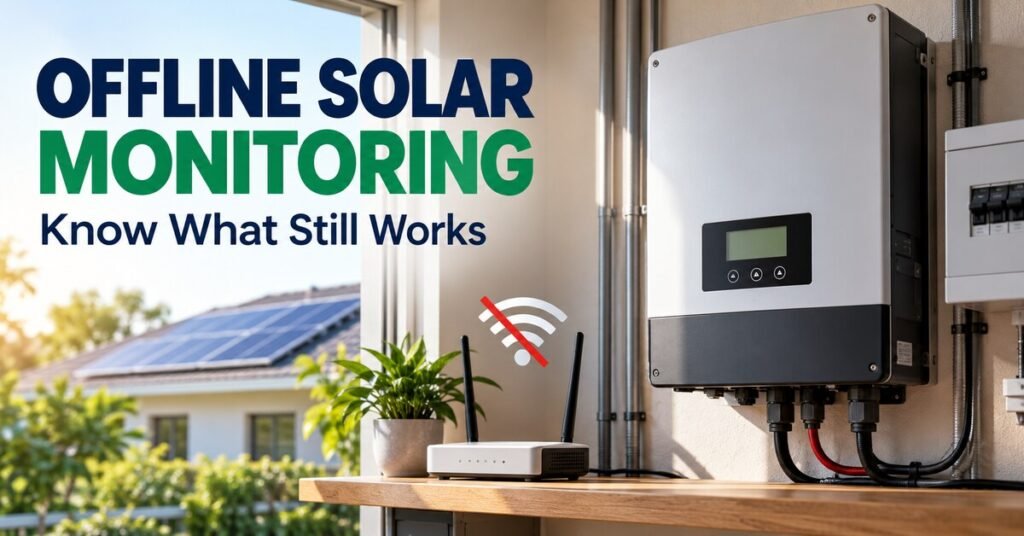
Solar monitoring without internet depends on the equipment’s local display, communication and logging features. Cloud access can stop updating when connectivity is lost even while the electrical system continues operating. Before buying, distinguish local observation, historical records, remote notifications and remote control instead of treating them as one feature.
Separate electrical operation from cloud access
An internet outage and an electrical fault are different events. Many installations have local operating functions, but their exact behaviour must be checked in the equipment documentation. Do not assume that a disconnected app means the panels have stopped producing or that every product works identically offline.
Our inverter comparison guide helps identify the exact model. Ask which functions depend on a local controller, external meter or cloud service. The answer should describe the proposed installation, not only the inverter’s marketing page.
Check the local display and interface
Identify which values and alarms can be read directly at the equipment. Some products have a display, while others use a supported local communication method or separate interface. Confirm what accessories and compatible devices are needed for access.
Request a demonstration during handover. The owner should know how to view information through the supported interface without opening equipment or changing protected settings. A blank or sleeping display should be interpreted using the manual rather than treated automatically as a fault.
Understand the measurement boundary
Local production readings may not show whole-home consumption, imports and exports. Those values can require additional correctly installed metering. Battery information may come from its own supported sensors or communications.
Our energy-management guide uses complete power-flow information to assess operating choices. Ask which measurements remain available offline and which are calculated or absent. A local inverter output number alone cannot establish the property’s entire electricity balance.
Ask about historical logging
Some systems retain data locally and may upload it when connectivity returns, subject to their documented capability and storage limits. Others provide a more limited history. Confirm the exact retention period, recording interval and behaviour when local storage becomes full.
Do not assume every missing cloud period can be recovered. Ask whether the owner can export local records and which hardware is required. If historical performance is important, include those features in the equipment comparison before purchase.
Read timestamps and stale data correctly
Check the last-update time and the period shown on the screen. A cloud dashboard displaying yesterday’s values is not a live measurement of today’s operation. A reconnecting system may also need time to upload supported history.
Keep a short note of the connectivity interruption and any local observations. This helps separate a reporting gap from a production problem during later analysis. Compare records over matching dates and timezones rather than joining incompatible totals.
When the connection is back, a guide to solar monitoring app readings explains what the dashboard figures mean.
Identify which alerts need connectivity
Remote email, push notifications and cloud communication alerts generally need an available reporting path. Local alarms and electrical protective functions are different features. Verify what the exact product provides instead of assuming a phone notification is the protection itself.
Ask what happens when the internet, router or required communication hardware loses power. If remote fault awareness is important, have the designer assess an appropriate supported reporting arrangement. Connectivity planning should fit the service objective and the equipment.
Troubleshoot connectivity before changing electrical settings
Check the supported user-visible status and basic service information. Record whether the router and relevant communications equipment are available and whether local readings are current. Use the manufacturer’s support process for reconnection problems.
Our maintenance checklist helps record symptoms and dates. Avoid factory resets or firmware changes merely because a dashboard is delayed. Those actions can affect accounts or system configuration and should have a supported purpose and recovery plan.
Plan access and ownership
The owner should know who controls the monitoring account and who can change system settings. Keep recovery details secure and ensure installer access matches the agreed role. Local access and cloud access can have different permissions, so document both.
When a service provider changes, review access through the product’s supported controls. Retain system identity and historical records where possible. Good ownership arrangements make an offline period easier to resolve without sharing private credentials unnecessarily.
Compare features before buying
- Local display or supported local interface.
- Measurements available without cloud access.
- Local logging, retention and export capability.
- Supported upload behaviour after reconnection.
- Remote alerts and their connectivity requirements.
- Owner access, recovery and installer permissions.
- Required accessories, subscriptions and support scope.
Our hybrid inverter guide helps assess the wider product functions. Include monitoring hardware in the complete quotation. A lower equipment price may exclude an interface or meter needed to obtain the information you expect.
Build a practical offline routine
Keep owner instructions and service contacts accessible without relying on the cloud app. Record local alarm information and the time of any unexpected behaviour. If there is a concerning electrical symptom, seek qualified service rather than assume it is only a network problem.
After reconnection, compare the available history with the interruption notes. Identify any remaining gaps before using the data for financial or performance conclusions. This preserves the difference between measured operation and incomplete reporting.
Frequently asked questions
Does losing Wi-Fi stop solar generation?
Not necessarily. Verify the exact system’s supported behaviour. A cloud reporting interruption and an electrical operating fault should be investigated separately.
Will missing history appear after reconnection?
Only if the equipment supports suitable local logging and later upload. Confirm retention limits and required hardware. Do not promise recovery for every product.
Can I manage everything from the local display?
Available controls vary by model and permissions. Use the supported owner interface and leave configuration or service changes to the appropriate qualified process.
Even without the cloud, a good monitoring setup keeps recording your daily generation locally — the key is knowing exactly which figures survive an outage. Check what your inverter or logger stores on-device, and confirm its offline limits before you need them.